
Remember when every phone had a different charger? A drawer full of cables, none of which fit the device in your hand. AI had the same problem until very recently. Then one standard changed the game.
The Model Context Protocol, known as MCP, gives AI models a universal way to connect with the tools and data your business already uses. Anthropic released it as an open standard in late 2024. Within a year OpenAI, Google and Microsoft adopted it, and the industry quietly agreed on a common plug. Thousands of MCP servers now exist for products from GitHub to Stripe to Slack.
Why should a business owner care about a protocol? Because MCP is the difference between an AI that talks about your work and an AI that does your work. Here is the whole story in plain terms.
What Is MCP
Quick answer: MCP, short for Model Context Protocol, is an open standard that lets AI models connect to outside tools and data through small programs called MCP servers. One server built for a tool works with every MCP-aware AI, which replaces thousands of one-off integrations with a single common plug.
What Problem Does MCP Solve
A language model on its own is a brilliant brain in a sealed jar. It knows a great deal, yet it cannot see your calendar, read your database or update your inventory. Every company that wanted those connections used to build them one at a time. Custom code for the CRM. More custom code for the file server. Each integration fragile, expensive and duplicated by every other company on earth.
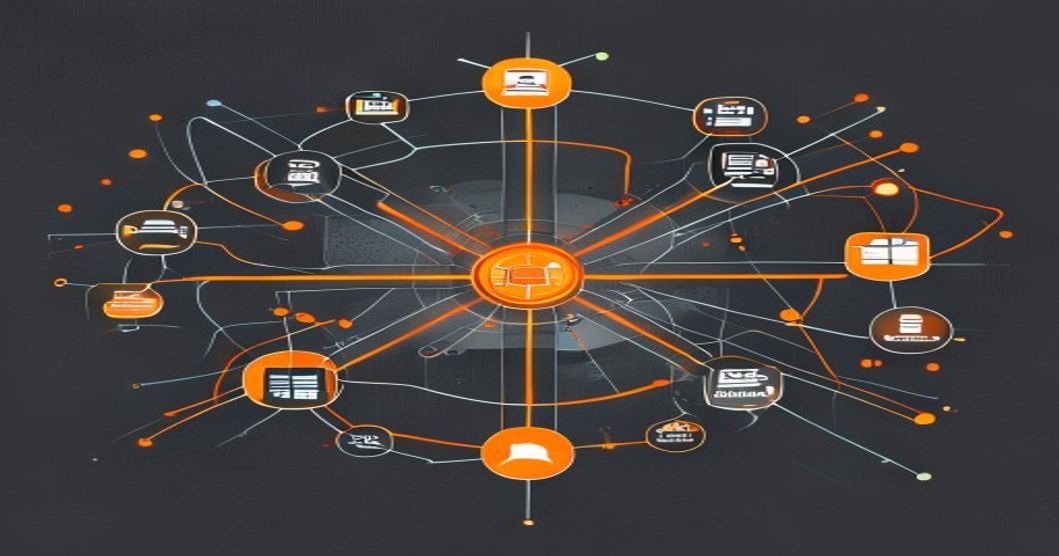
Engineers called it the N times M problem: N AI apps multiplied by M tools equals a mountain of one-off connectors. MCP collapses the mountain. Build one MCP server for a tool, and every MCP-aware AI can use it. Build one MCP client into an AI app, and it can reach every MCP server ever written.
How Does MCP Work
Three roles, one conversation:
- The host is the AI application you interact with, such as a chat assistant or a coding agent.
- The client lives inside the host and speaks the protocol, one connection per server.
- The server is a small program that wraps a tool or data source and offers its abilities in a standard menu.
When you ask the AI to find the unpaid invoices from last month and draft reminder emails, the host checks its connected servers, discovers an accounting server with a search ability and an email server with a draft ability, and chains them together. You watch one conversation. Underneath, a well-mannered committee does the legwork.
People often ask what an MCP server actually is. The answer: a small translator program that wraps one tool and offers its abilities to any AI in a standard menu. Servers offer three kinds of things. Tools are actions the AI can take. Resources are data the AI can read. Prompts are ready-made instructions a team wants reused. That trio covers nearly everything an AI needs from the outside world.
What You Can Build With MCP
Real deployments cluster into three groups:
Ask your data anything
Connect an MCP server to your database or document store and plain questions replace report requests. Which products grew fastest last quarter? Who has not renewed? The AI queries live data and answers with numbers, not guesses.
Automate across tools
Because one AI can hold many connections at once, workflows that cross systems become single requests. Pull the new signups, enrich them from the CRM, draft welcome messages and log the batch. Four tools, one sentence.
Give agents real jobs
Our article on AI agents describes software that plans, acts and checks its own work. MCP supplies the hands. An agent with well-chosen servers books, files, posts and reconciles, all through connections you control and audit.
Is MCP Safe for Sensitive Business Data

A universal plug also means a universal attack surface, and pretending otherwise helps nobody. Treat every MCP deployment like a new employee with system access:
- Least privilege. A server that only needs to read should never hold write permissions.
- Trusted sources only. Install servers from official vendors or code you have reviewed, because a malicious server sees whatever the AI sends it.
- Approval gates. Keep a human confirmation step on actions that move money, delete records or message customers.
- Audit logs. Record every tool call so you can answer the question what did the AI actually do on Tuesday.
How Do You Start Building With MCP
Start with one connection that removes a real bottleneck. Most teams pick their database, their project tracker or their support desk. Prove value in a fortnight, then widen. The pattern mirrors every successful automation rollout: narrow, measured, expanding.
Cloudcoder builds custom MCP servers and agent systems as a core service, from a single secure database connector to a full fleet of connected agents. Our MCP and AI agent development page explains the offering, and a short call is enough to scope most first projects.
Questions People Ask
Is MCP tied to one AI vendor?
No. MCP is an open standard with adoption across Anthropic, OpenAI, Google and Microsoft ecosystems. A server you build today works with every major MCP-aware assistant, which protects your investment from vendor churn.
Does MCP replace my existing APIs?
No. An MCP server usually wraps your existing API and presents it in the standard AI-friendly menu. Your systems keep working exactly as before, with one new door added for AI access.
How long does a first MCP integration take?
A read-only connector for a well-documented system typically takes days, not months. Complexity grows with write access and approval workflows, which deserve the extra care.
Is MCP safe for sensitive business data?
It can be, with the same discipline you apply to any system access: least privilege, trusted code, human approval on destructive actions and full audit logging. The protocol itself supports all four practices.